Clear blank cells between data in Excel
There are times when we have a lot of data with spaces interspersed in excel where it can become quite complicated to remove all spaces by hand, so today we will see an excellent method for removing these spaces quickly and easily, suppose we have the following values:nn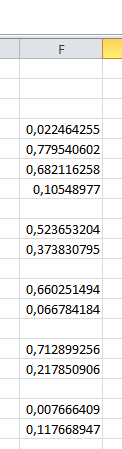 nnSelect all values, including empty spaces:nn
 nnnnY press the F5 key, the following window will appear:nnnnn
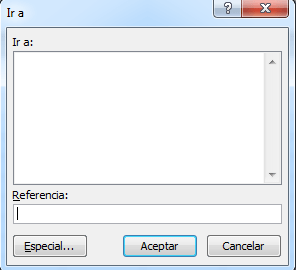 nnSelect Special and then mark blank cells, as you can see below:nn
 nnnnClick on OK and we would have selected all the empty cells of the selection. I hope this simple tutorial has been of help to you, plus I would like to invite you to review the others excel tutorials available on site