¿Qué es el período de retorno?
Definición
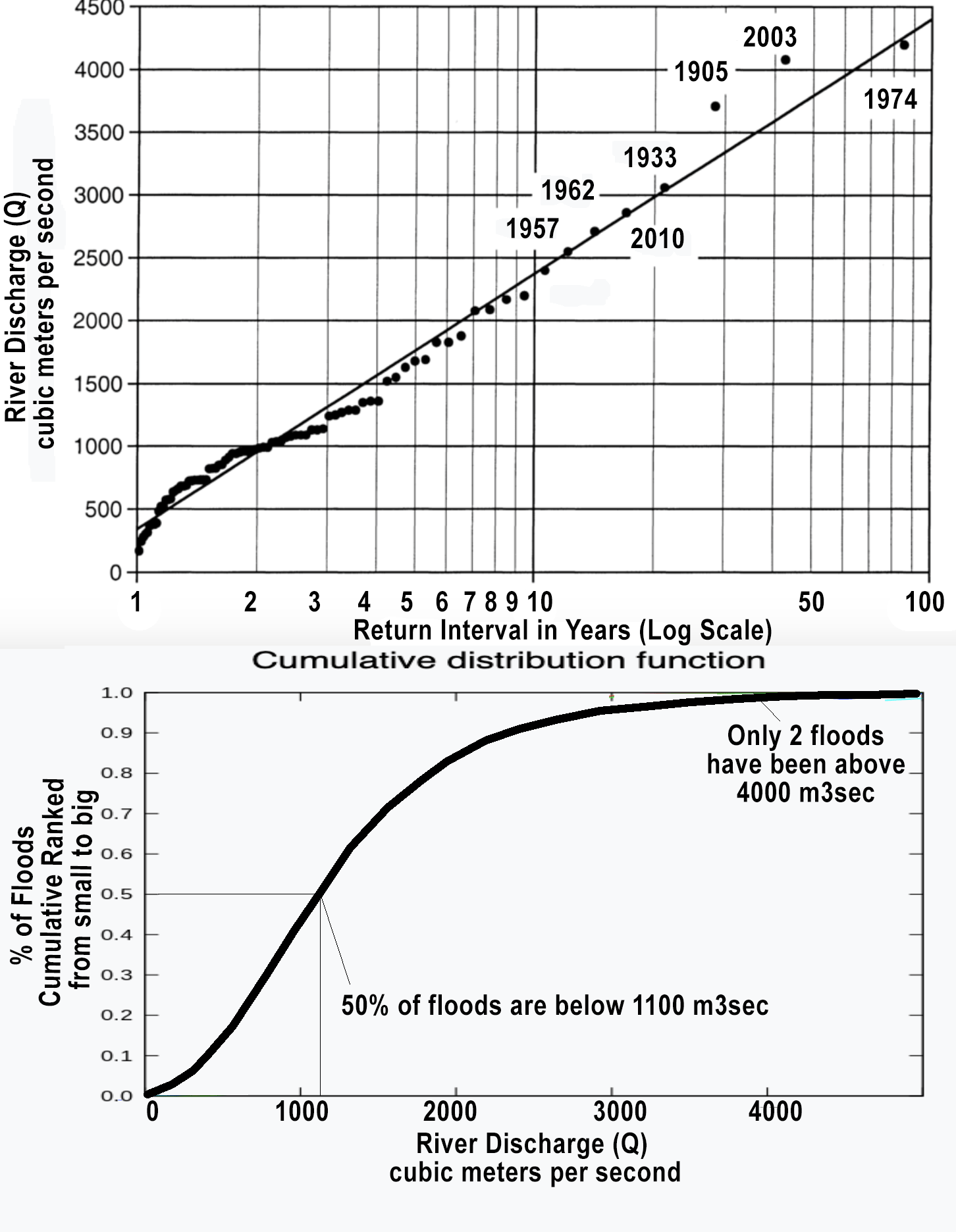
El período de retorno (T), también llamado intervalo de recurrencia, es el valor promedio de años que separa la ocurrencia de dos eventos hidrológicos extremos de igual o mayor magnitud. Se expresa matemáticamente como:
T = 1 / P(X ≥ x)
donde P(X ≥ x) es la probabilidad de que el evento x sea igualado o superado en un año cualquiera.
Ejemplos prácticos
- Una crecida de T = 100 años tiene una probabilidad de 1/100 = 1 % de ocurrir en cualquier año.
- Una precipitación de T = 25 años tiene una probabilidad de 4 % de ocurrir cada año.
Importante: que un evento sea “de 100 años” no significa que ocurrirá exactamente cada 100 años; puede ocurrir dos veces en el mismo año o no ocurrir durante 200 años.
Uso en ingeniería civil
El período de retorno es el criterio de diseño más usado en hidrología aplicada:
- Alcantarillas urbanas: T = 2–25 años.
- Puentes: T = 50–500 años.
- Presas: T = 1,000–10,000 años (o Precipitación Máxima Probable – PMP).
Distribuciones estadísticas
Para estimar caudales o precipitaciones asociados a un período de retorno se ajustan distribuciones de probabilidad a datos históricos, entre ellas: Gumbel (Valores Extremos Tipo I), Log-Pearson Tipo III, y Log-Normal.
Fuentes y lecturas recomendadas
- Gumbel, E. J. (1958). Statistics of Extremes. Columbia University Press.
- Chow, V. T. et al. (1988). Applied Hydrology. McGraw-Hill. Cap. 12.
- U.S. Geological Survey (USGS). Flood-Frequency Analysis. Techniques of Water-Resources Investigations, Book 4, Ch. A3.